
ICLR-2023 AIM:Adapting Image Models for Efficient Video Action Recognition
Paper: AIM:Adapting Image Models for Efficient Video Action Recognition
Project page: https://adapt-image-models.github.io/
AIM: Frozen Image Models with Adapters for Video Action Recognition
Abstract
Full fine-tuning of models trained on images for video tasks is very expensive. This work proposes a simple adapter that yields strong results while keeping the pretrained model frozen. Because the adapter is lightweight, it also generalizes well.
Introduction
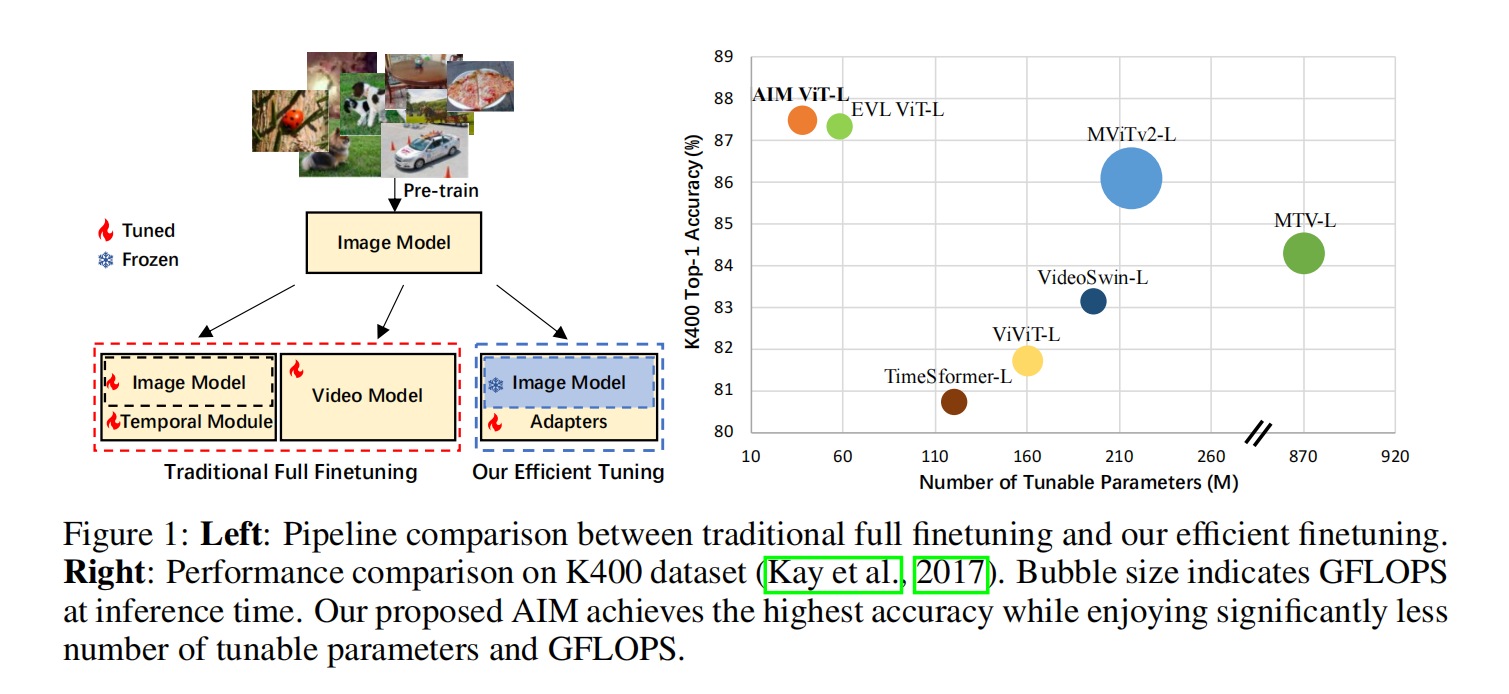
Video understanding methods can be roughly grouped into two families: those that treat temporal and spatial processing largely separately, and those that model space and time jointly. In either case, compute cost is high—the full model must be fine-tuned on video data, and with large datasets and large models, training cost becomes prohibitive.
A trained image model used as a frozen feature extractor is already highly generalizable; for example, CLIP performs well in zero-shot settings. Future foundation models are likely to become even more effective without task-specific fine-tuning. Freezing weights also mitigates catastrophic forgetting: when downstream data are limited or noisy, aggressively fine-tuning a large model often hurts performance or causes overfitting, and can erase the original capabilities and generalization of the pretrained model.
The idea here is to adapt the environment around a large image model (with frozen weights) by adding task objectives and temporal modules so that the image backbone can be used directly for video understanding.
Methodology
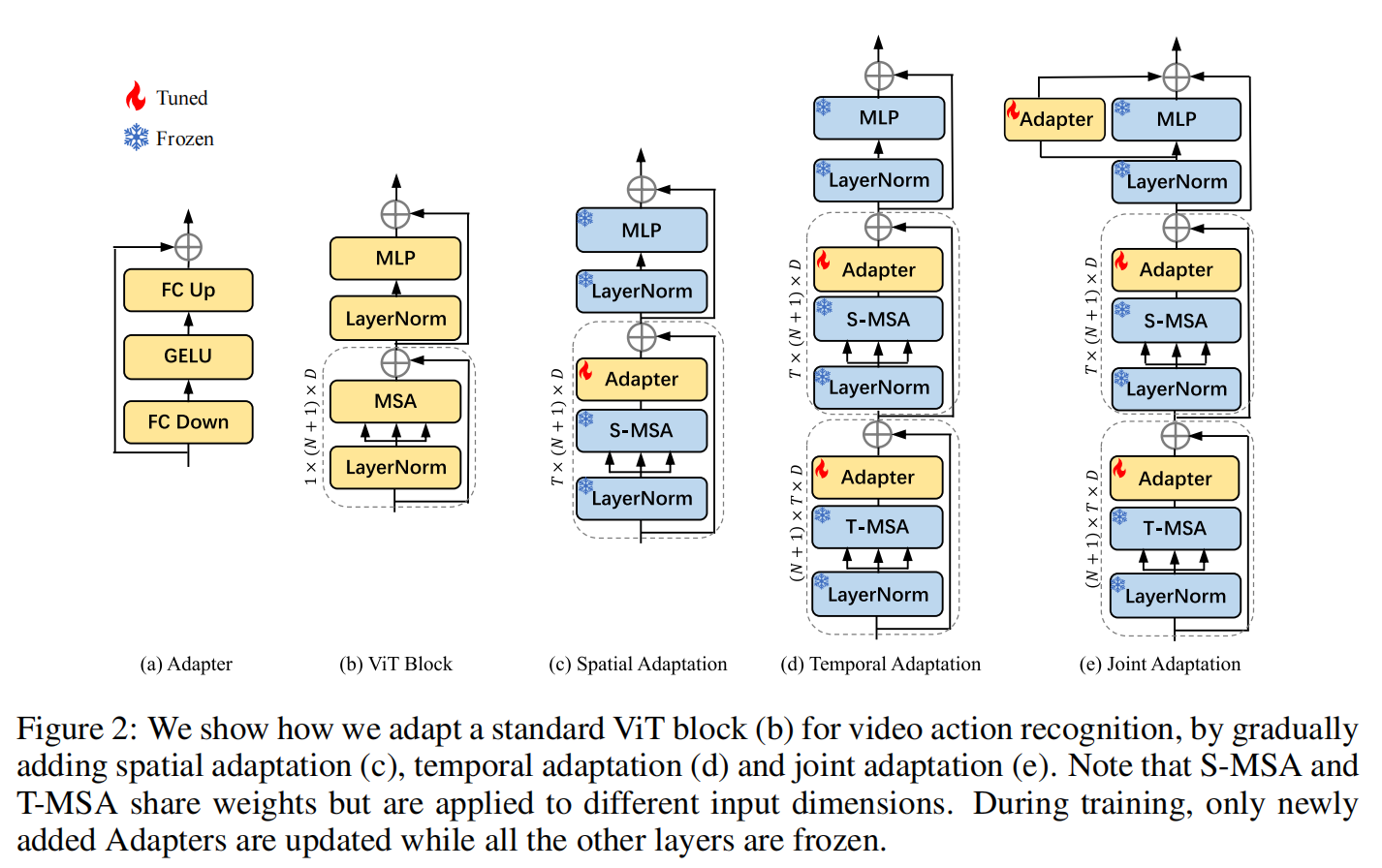
- Spatial Adaptation: An adapter layer is inserted on top of the ViT blocks.
- Temporal Adaptation: Self-attention is reused with two weight-tied, fully frozen copies; reshape operations route the attention layer to operate over time and space separately.
- Joint Adaptation: Three adapters are trained independently; a final module fuses their outputs.
Experiments
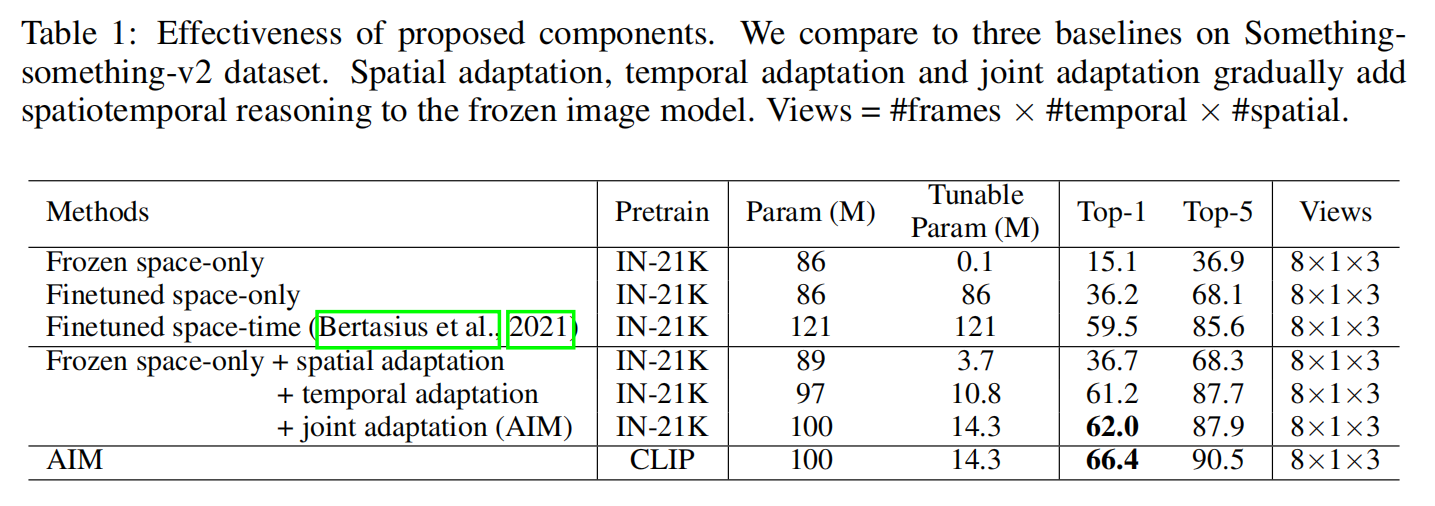
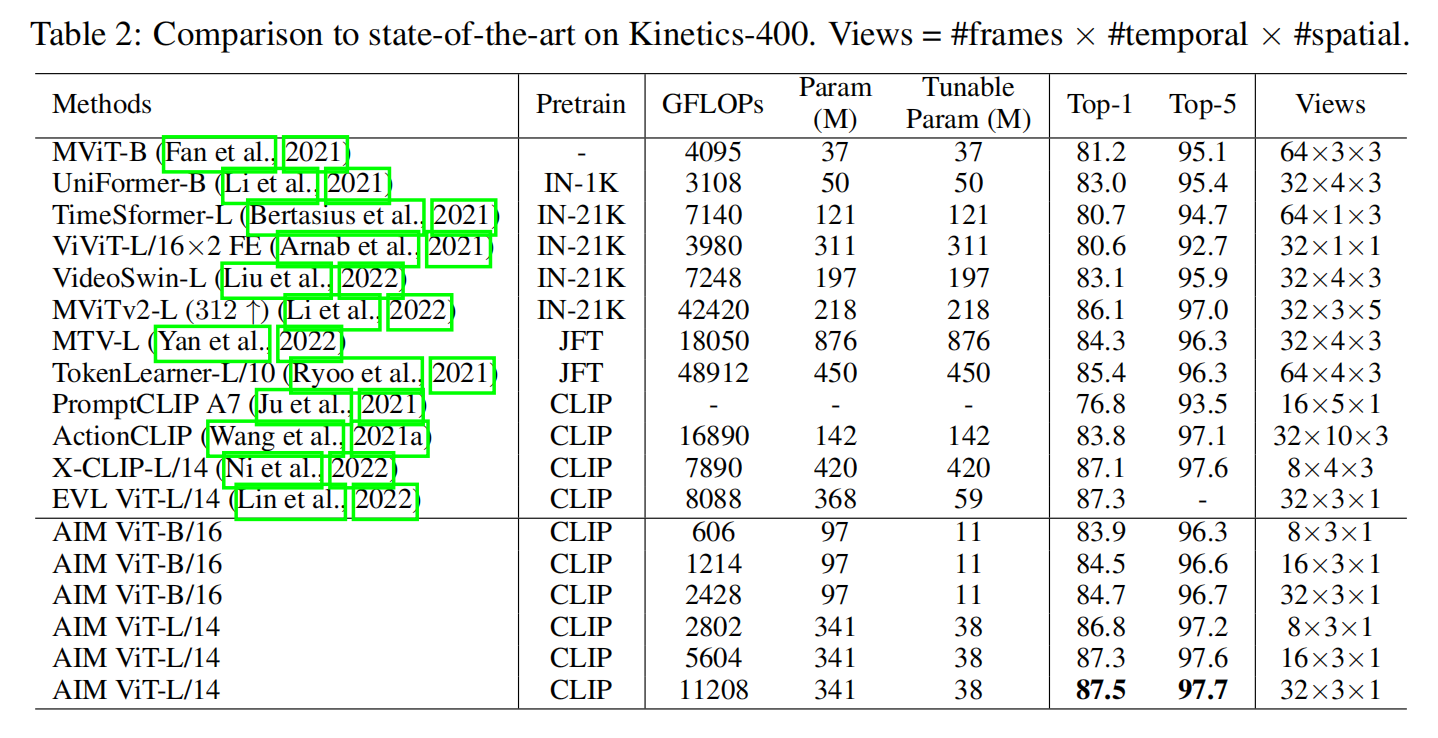
Efficient adaptation of large models remains a promising direction for video understanding.
<HR align=left color=#987cb9 SIZE=1>